
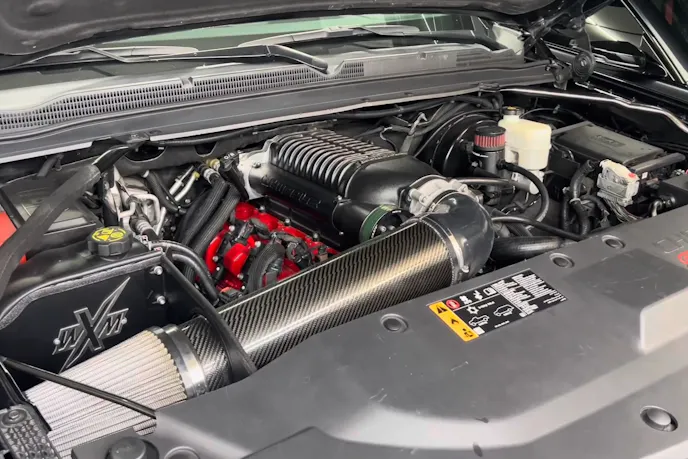
Bolting a 2.9-liter Gen 4 Whipple supercharger, ported cylinder heads, a Stage 3 camshaft, long-tube headers, and an E85 fuel conversion onto a 2019 Chevrolet Tahoe pushes output to roughly 650 wheel horsepower. Getting all of those aftermarket parts to cooperate on the street is another matter.
After three separate chassis dyno sessions left the SUV with lingering driveability hiccups at 12 psi of boost, YouTuber The King Of Krome switched to an EFILive AutoCal from Black Bear Performance to dial in the calibration from the driver’s seat.
Pulling The Existing Calibration Files
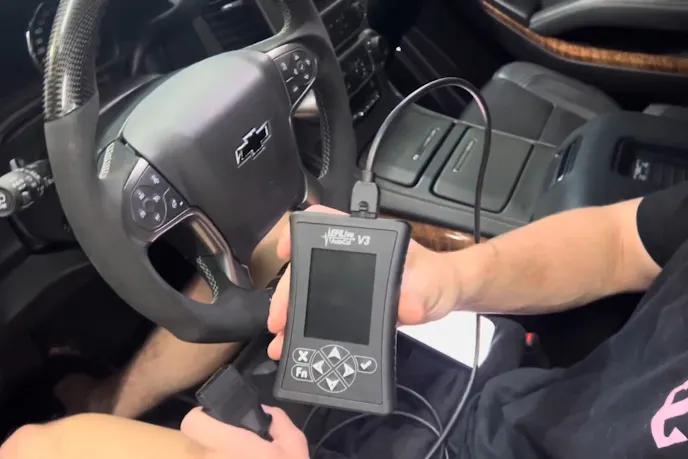
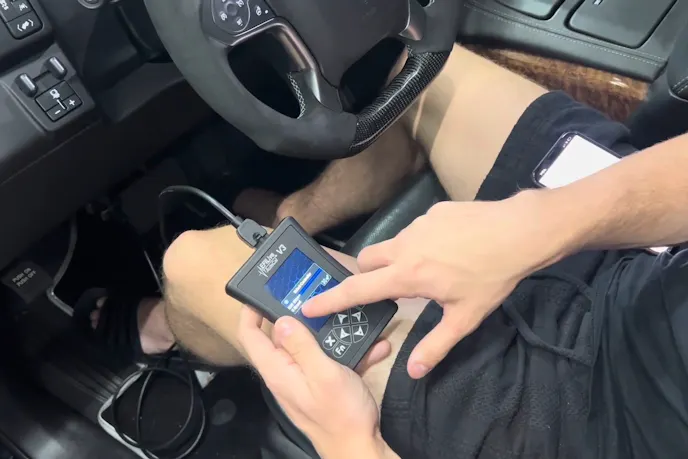
Before a remote calibrator can build a revised file, they need a copy of the existing engine and transmission tables already inside the truck. With the handheld plugged into the OBD-II port and the ignition key turned on with the engine off, the owner navigated through the Tuning menu to read the controllers one by one.
“So we’re going to send to them the tune it has right now on the engine computer on the transmission computer and then after this we’re going to do live driving the car,” he says.
Managing EFILive AutoCal File Storage
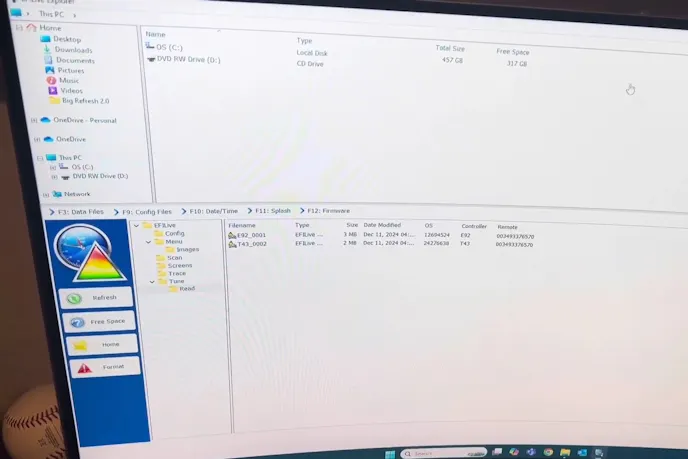
Once the handheld finished reading both modules, the owner plugged the device into a laptop running EFILive Explorer and dragged the baseline files from the lower device pane into a dedicated computer folder. Because a long street log can easily fill up the handheld’s internal memory mid-drive, clearing out those transferred files is a critical step before hitting the road.
“It says here that you can have an issue where while you’re in the middle of data logging the device runs out of storage,” he explains, deleting the saved baseline reads off the unit to free up recording space.
Logging A 33-Minute Street Drive
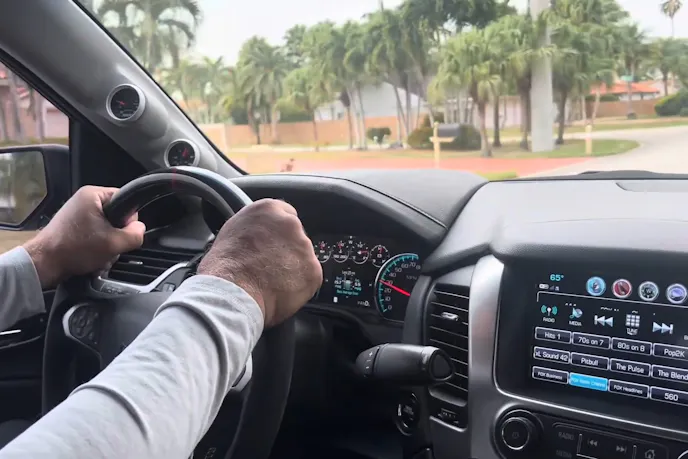
The next day, he reconnected the EFILive AutoCal, started the supercharged V8, and selected the Record Data option under the Scan Tool menu. Black Bear Performance instructs drivers to log 30 minutes of mixed conditions, starting with light city cruising before moving into part-throttle highway pulls, wide-open-throttle acceleration, and a few minutes of stationary idling with the camshaft chopping. During a three-quarter-throttle pull on the highway, the Tahoe briefly revved and fell flat, capturing the exact fueling or torque-management stumble that previous dyno trips failed to resolve.
Exporting The Scan Data For Revisions
After 33 minutes of recording air/fuel ratios, sensor readings, and transmission shift points across all six gears, he pressed the exit button while the engine was still idling to save the file cleanly. Back at the laptop, he opened the Scan directory in EFILive Explorer, dragged the completed log into his Tahoe folder alongside the engine and transmission files, and emailed the package with a full modification list to receive his revised calibration within a week.
Making 650 horsepower at the wheels is impressive, especially when we’re talking about a full-size Chevrolet Tahoe. But all that horsepower doesn’t mean much if the truck stumbles every time you roll into the throttle. And as this build demonstrates, even multiple trips to the chassis dyno don’t necessarily guarantee a combination that’s happy under real-world driving conditions.
That’s where EFILive AutoCal comes into play. By recording everything from normal cruising and idle quality to transmission behavior and acceleration under boost, the owner can give his tuner a much better picture of what’s actually happening behind the wheel. Better yet, he can do it without scheduling another dyno session or hauling the Tahoe across town.
You might also like
Breaking The C8 Corvette Transmission: What Fails And How To Fix It (Part 2)
We explore C8 Corvette TR-9080 transmission upgrades, from stronger clutches and TCM tuning to billet gears and shafts for big horsepower.